Support
A question, a bug, an idea? One person makes Dawnkeeper and reads every message.
Tell us your phone model, its system version (iOS or Android) and the night you were on (it is on the title screen). We usually answer within two days.
Frequently asked
How do I play?
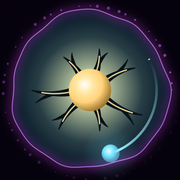
Keep the Heart-Tree alive until dawn. Touch anywhere and flick: a light appears under your finger and goes into orbit (flick with the stream, counter-clockwise). Two identical lights merge into a bigger one, and gold lights can be tapped to feed the heart. The gloom creeps in from the edge; your lights hold it back. The ? at the top left of the title screen explains every rule and every power you have.
I lost a night. What happens now?
The same night comes back, with the same length, until you see its dawn. A lost night still gives the forest half its light, so new powers keep coming.
Can I replay a night without it counting as a loss?
Yes: pause (⏸), then Restart this night. The same night starts again from zero and isn’t counted as a loss. Abandon night counts as a lost night and keeps half the light.
I have to stop in the middle of a night. What do I do?
Just leave the app: the night pauses by itself and resumes exactly where it was, even if your phone closed the app in the meantime.
Does it work offline, and on mute?
Yes. Dawnkeeper never needs a network (offline, there are simply no ads). Music and sounds have their own switches, on the title screen and in the pause menu. On iPhone, the game follows the silent switch and plays along with your podcast or music instead of stopping it.
How do I change the language?
Tap EN / FR at the top right of the title screen. The game remembers your choice. By default it follows your phone’s language.
How do I start over?
Tap ⋮ at the top right of the title screen, then Start over. This erases the forest and starts again from the guided first night. Your language and sound settings are kept.
Can I move my progress to a new phone?
There is no account and no cloud save: your progress is stored on your phone. If you set up your new phone from a backup of the old one (iCloud on iPhone, Google backup on Android), your forest normally comes along with it.
Why are there ads? How do I remove them?
Ads keep Dawnkeeper free. A full-screen ad can come after a dawn, when you tap Next night, from the third night on: at most one every four minutes, never during a night, never after a lost night, and never when you are offline. The first time an ad would come, a card explains this instead. The full game (⋮ › Full game on the title screen) is a one-time purchase that removes these ads and unlocks night themes, forest themes and a winter music; tap one there to try it on the title screen before buying. Once bought, they are under ⋮ › Themes and music. Double tonight’s light, on the results screen, is an ad you only watch if you want to.
I bought the full game. How do I get it back on a new phone?
Sign in with the same Apple or Google account, then in the game open ⋮ › Full game on the title screen and tap Restore purchases. The purchase is tied to your store account, not to the phone.
What does the form at first launch do?
In the European Economic Area, the United Kingdom and Switzerland, Google’s consent form asks whether ads may be personalised and whether the game may send play statistics and crash reports. On iPhone, Apple then asks whether the app may track you for ads. The Privacy choices button (the shield at the top right of the title screen) reopens the form at any time. In the US states with a privacy law, such as California, the same button opens Ad choices, where you can opt out of the sale or sharing of your data for targeted ads, and a Share play statistics switch. Elsewhere, statistics are on by default and can be turned off with the chart button at the top of the title screen. All the details are in the privacy policy.
I found a bug.
Thank you! Write to support@dawnkeeper.app with what happened, the night, your phone model and, if you can, a screenshot or a screen recording. If crash reports are on, crashes reach us on their own, with nothing personal in them.